
What it is
An admin panel is a control screen for authorized people. It can let your team edit website content, review requests or manage work without changing code.
06 / Clear control of the work
Operational queues, approvals, and record controls with defined access and recovery.
Free Operations Control ReviewNo cost, no obligation
In plain language
What it is
An admin panel is a control screen for authorized people. It can let your team edit website content, review requests or manage work without changing code.
The problem
A small content update needs a developer, or your team has no clear screen for reviewing everyday requests.
Example: an office manager
An office manager updates opening hours, checks a preview and publishes the approved change. Another role may only review it.
Where it helps
People need safe, specific controls over information they are responsible for.
An internal queue should show what needs attention, why it is there, who owns it, and what action is permitted.
Status, decisions, and exceptions need a record. Audit history should help explain what happened and how to recover from a mistake.
Different roles may need different information and actions. The permission model belongs in server-side authorization and scoped data access.
What you get
Deliverables are agreed against your workflow, technical environment and goals.
Define users, allowed operations, restricted fields, approval owners, and separation of responsibilities.
Scope filters, priority/status views, record detail, and concise task explanations around the work being managed.
Review input validation, authorization, meaningful status transitions, audit records, and recovery before an update is applied.
Explain invalid, duplicate, unavailable, or manual-review conditions. Reports use defined metrics and permitted records.
Document access ownership, training, maintenance, backup/recovery, and change requests according to the written scope.
Examples
Queues, records and permissions for the people who run the work.
Case studies
 Technical product information and a separately documented sales-management workflow.Read the case study
 A personal brand with role selection, result filters, and readable source inspection.Read the case study
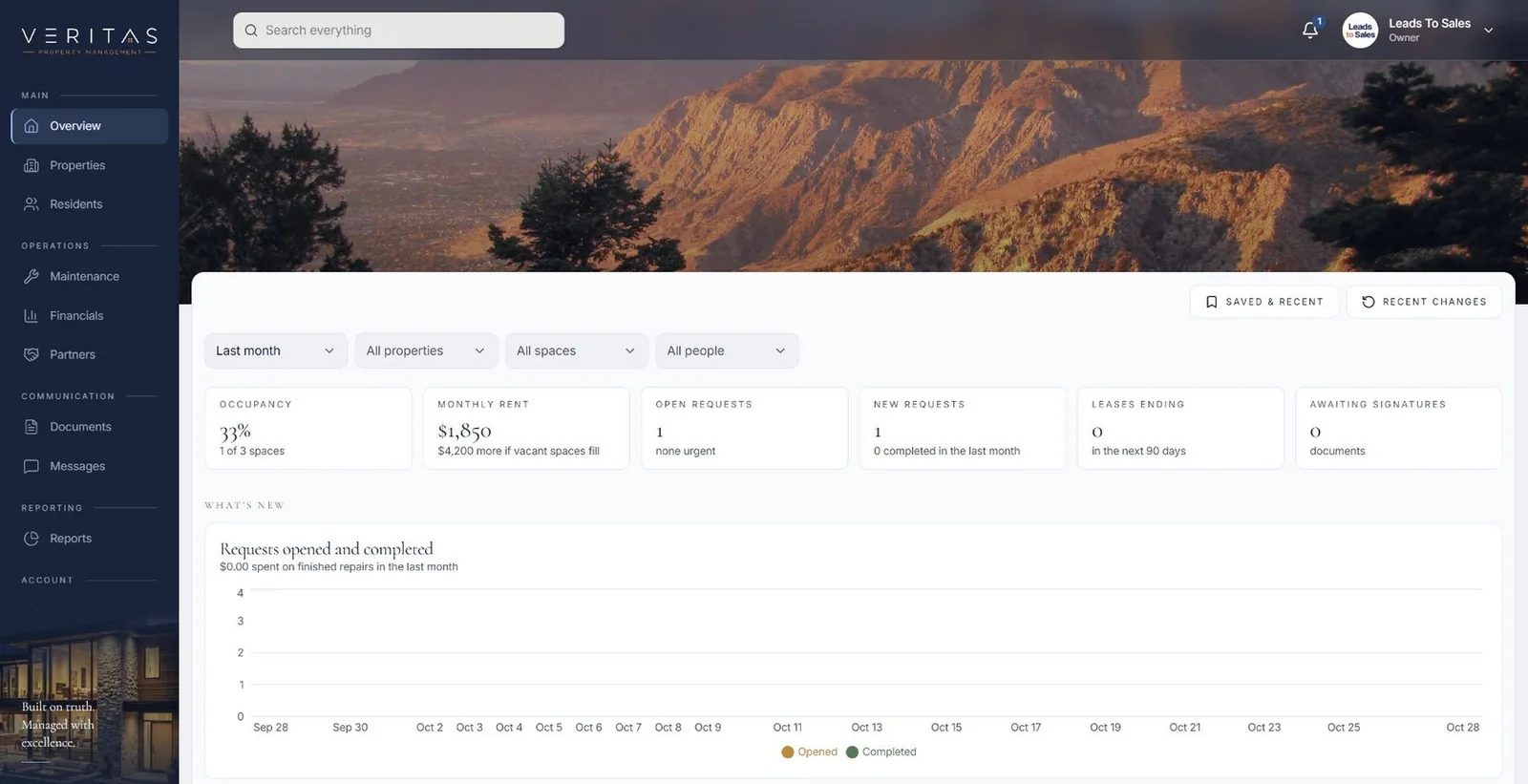 A property management portal for properties, spaces, residents, maintenance, inspections, documents and reports.Read the case study
How it works
Identify the queue, users, decisions, permitted data, and the consequences of an action.
Review normal, invalid, manual-review, and recovery states using safe records.
Implement and test the scoped authorization and workflow on approved test destinations.
Document roles, audit/recovery behavior, administration responsibilities, and later changes.
Detail
A useful operational example starts with a queued item, validates the action, records a decision, and shows the next owner or recovery step.
A production panel needs server-side permission checks, least-privilege access, validation, and recoverable operations. Scope the admin, accounts, security, and settings routes deliberately.
Approval rules, access administration, record ownership, data retention, monitoring, and exports are decisions to resolve.
Fit and boundaries
Good fit
Clear boundaries
What we need from you
Questions
No. This public website contains no administration, settings, accounts, authentication, security, or production actions for any client system.
Yes, when role definitions and permitted actions are part of the agreed implementation scope. The access model is validated on the server rather than inferred from visible navigation.
Failure and recovery rules are designed for the project. An appropriate implementation distinguishes invalid input, rejected access, pre-storage failure, and accepted work awaiting a downstream step.
06 · works well with
Let’s build what’s next
Bring us the bottleneck. We’ll talk through the work, the people, and what a useful next step could look like.