This page is part ofKeep track of customersChoose a path or explore this page on its own.

03 / Every inquiry has a next step

A clearer path from inquiry to next action.

Lead records, pipeline ownership, follow-up, and reporting that fit your sales process.

  • 5–6 hourssaved each week on follow-up

In plain language

Keep track of customers and follow-ups.

What it is

CRM means customer relationship management. A CRM keeps customer details, conversations, the person responsible and the next action together. A lead is someone who may become a customer; a pipeline is the set of stages used to track those conversations.
The problem

An inquiry is buried in email or texts, or two people assume the other one replied.

Example: a new inquiry

A new inquiry arrives with a name and a question. Someone is named as its owner, the conversation history stays with it, and the next follow-up has a date.

Where it helps

Problems worth
solving.

You need to see who is handling each inquiry and when to follow up, without searching several places.

01

Leads arrive without a clear owner

A record is useful only if someone knows what happens next. Stages, assignment rules, and follow-up expectations need agreed definitions.

02

The contact history is scattered

Company, contact, and opportunity relationships should preserve context without duplicating it. A timeline helps a team understand prior activity and the current task.

03

Pipeline reports tell different stories

Stage definitions, deduplication, and source context determine what a report means. A list count is not a qualified-opportunity count.

What you get

A defined scope.
A result you can review.

Deliverables are agreed against your workflow, technical environment and goals.

  1. 01

    A record and pipeline model

    Define companies, contacts, leads/opportunities, owners, stages, activity, tasks, and follow-up. The model reflects how the team actually sells.

  2. 02

    Useful day-to-day views

    Scope searchable lists, a pipeline, priority queues, record details, and next-action views. Different views should reconcile to the same underlying records.

  3. 03

    Source context and deduplication

    Decide which attribution context is permitted, how repeated records are identified, and how unclear matches reach human review.

  4. 04

    Migration and tailored connections

    Review mapping, data quality, import/export needs, and supported integrations as part of scope.

  5. 05

    Access, training, and operation

    Scope role-based permissions, administration ownership, documentation, user training, support, and reporting. Server-side authorization belongs in the implemented system, not a hidden sidebar.

Examples

CRMs in use

Dialers, pipelines, lead records and follow-up, built for the way each team sells.

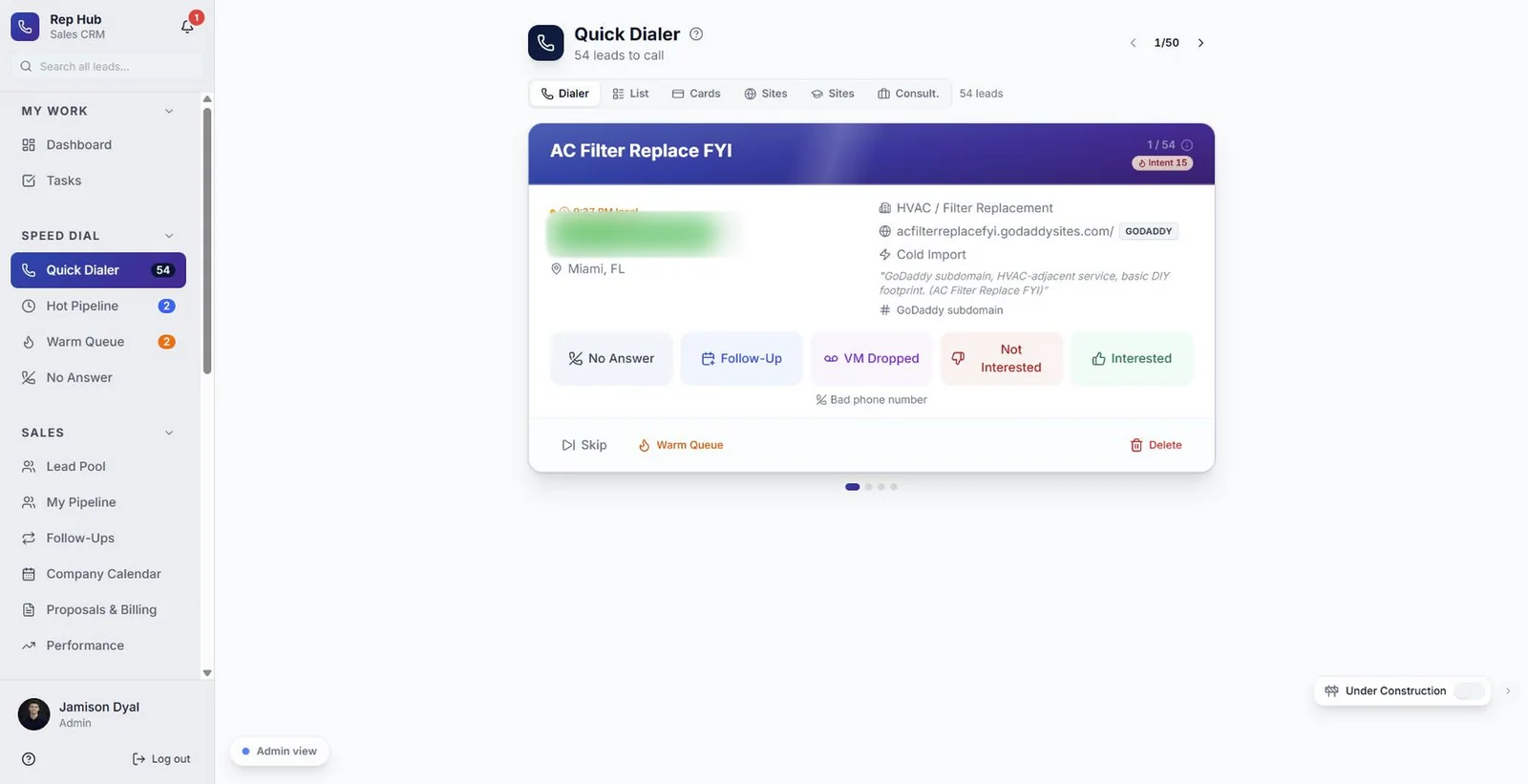
Leads To Sales Sales CRMQuick dialer that works through a lead list one card at a time.
Leads To Sales Sales CRMAI sales assistant answering a rep with discovery questions.
LTS Sales CRMProposals and billing pipeline.
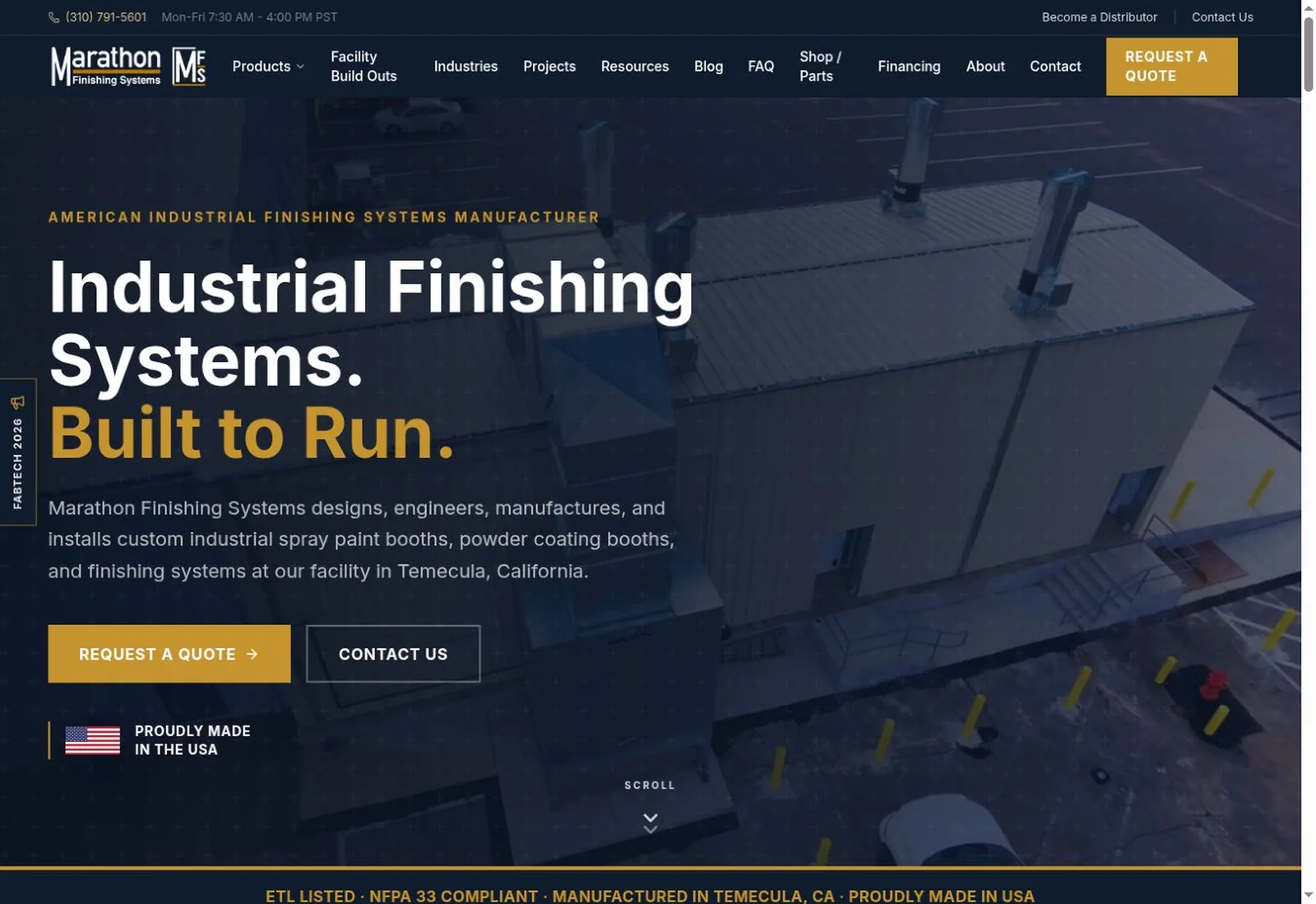
Marathon Finishing SystemsLead list with source, product, owner and pipeline stage.
Marathon Finishing SystemsLead preview beside the lead list.
LTS Sales CRMDiscovery website brief.

How it works

Four steps,
no surprises.

  1. 01Define the sales work

    Map the record lifecycle, owner, stage conditions, next action, and exceptions.

  2. 02Review the model

    Prototype the views and confirm data relationships, duplicate rules, and permission boundaries.

  3. 03Implement and reconcile

    Build and test agreed views, data mapping, scoped connections, and reports.

  4. 04Train and refine

    Hand over with practical documentation and improve from observed use within a defined support scope.

Detail

The finer points.

Follow-up should have visible meaning

A useful follow-up view explains what is due, who owns it, and how it relates to the record. A stage change should preserve history and the next task. Actual automation and notification rules are scoped and tested separately.

Connect measurement carefully

A pageview, a button click, a received inquiry, a qualified opportunity, and a won sale are separate events. A CRM can connect agreed definitions with permitted source context, while explaining attribution gaps.

Fit and boundaries

Is this for you?

Good fit

  • A sales team with unclear next steps or scattered lead context.
  • A business that needs a workflow tailored beyond a generic pipeline.
  • A team prepared to define stages and keep records consistently.

Clear boundaries

  • Imports, integrations and automations are scoped individually.

What we need from you

  • A shared pipeline and qualification definition.
  • Approved migration records and access handled through secure onboarding.
  • Written decisions for permissions, retention, training, and ongoing operation.

Questions

Questions, answered.

Can the CRM have different user permissions?

Role-based access can be part of a scoped implementation.

Can existing data be migrated?

Migration requires a review of ownership, quality, mapping, duplicates, permitted fields, and a recovery plan.

Ask your own questionAI

Ask anything about working with Leads To Sales. Answers come only from what we publish about our business.

Let’s build what’s next

What should work
better in your business?

Bring us the bottleneck. We’ll talk through the work, the people, and what a useful next step could look like.